

Folder Analyser
Mac App
Mac App
Folder Analyser
See what's taking up space on your Mac, then decide what deserves a closer look. Folder Analyser turns a folder scan into a clear list and visual map, helping you understand your storage and review files before removing them.
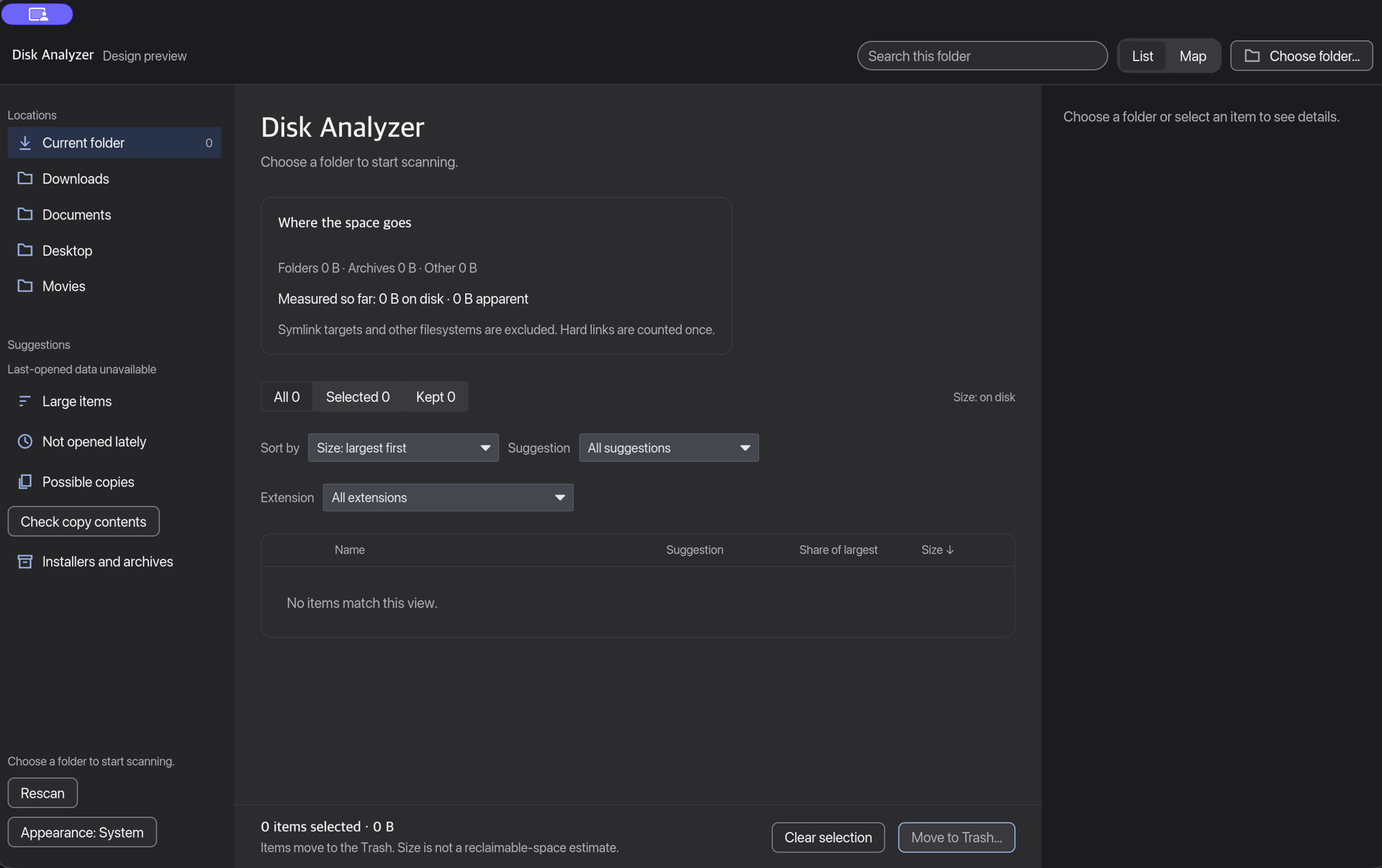
Explore your storage
Choose a folder and browse its files and subfolders by size. Switch between List and Map views to see the same results in the way that works for you. Sort by name or size, search within the scanned folder, and filter by file category or review status.
Check duplicate contents
Compare the contents of same-size files to identify verified copies. Confirmed duplicate groups keep at least one copy unselected, so you can review the others.
Protect what matters
Mark items to Keep and add protected folders. Review hints highlight large items, archives, and installers worth checking while leaving the decision to you.
Review before removing
Inspect item details, reveal files in Finder, or open Quick Look. When you're ready, review an itemised confirmation before moving selected items to Trash. The app does not permanently delete files or empty the Trash.
Work your way
Rescan to refresh results, use keyboard shortcuts for common actions, and choose System, Light, or Dark appearance.
Scans and duplicate comparisons run locally on your Mac. Folder access depends on macOS permissions. Reported disk usage may differ from the space reclaimed after removal, and review hints do not establish that an item is safe to delete.
Privacy Policy
Last updated October 12, 2026 · Applies to Folder Analyser only
What we collect
Folder Analyser is a fully offline macOS app. It does not require a login or account. It does not collect your name, email address, or any other personal information. The app does not connect to our servers, and it does not include analytics, advertising, or tracking.
How the app works
Scans, size calculations, and duplicate comparisons run on your Mac. The app reads folders you choose, subject to the folder access you grant in macOS. File names, sizes, and contents used for comparison stay on your Mac. The app does not upload them.
Removing files
When you confirm a removal, selected items are moved to the Trash. Folder Analyser does not permanently delete files and does not empty the Trash. Anything you mark to keep, and any protected folders, stay on your Mac with the rest of the scan.
Sharing
Because Folder Analyser does not collect personal information, we do not sell, rent, or share user data with anyone.
Children
Folder Analyser is not directed at children and does not knowingly collect personal information from anyone, including children.
Contact
Questions about this policy can be sent to quan@hyaki.tech. For Hyaki Pty Ltd's company-wide policy, see our general privacy policy.
Open the standalone privacy policy if you need a dedicated URL.